
Guest CRM
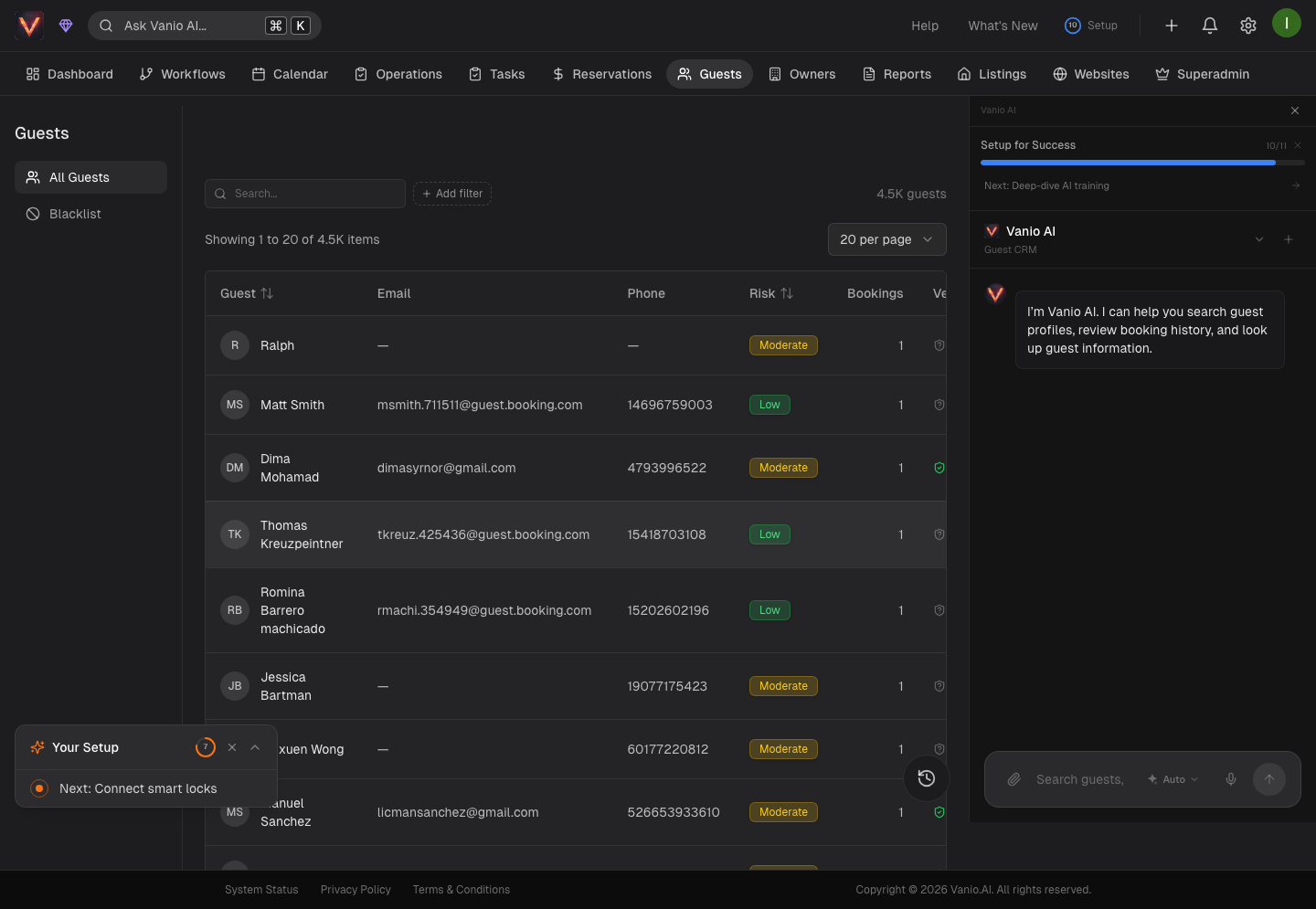
Automatically track every guest across all your booking channels — with stay history, contact details, risk scores, and a blacklist that follows guests across all their records.
Guest CRM
Every time someone books with you, Vanio creates or updates a profile for that guest — automatically. Whether they came through Airbnb, Booking.com, VRBO, your direct website, or any other channel, their stays, contact details, and history all live in one place.
No setup required. The moment a reservation lands, the Guest CRM takes care of the rest.
One guest, one profile — across every platform
Guests rarely stick to one booking channel. The same person might book through Airbnb this summer and Booking.com next winter. Vanio links their records together so you can see their full history in context, without duplicate records fragmenting your view.
When a returning guest books again, Vanio detects them right away — they skip identity verification in the guest portal, because you already know who they are.
What's on a guest profile
Open any guest to see their full picture:
- Stay history — every past and upcoming reservation, with a click-through to the full reservation details
- Total revenue — how much this guest has spent with you across all their stays
- Average review score — how they've rated your properties over time
- Contact info — multiple phone numbers and emails per guest, all in one list
- Notes — private notes with a full audit trail showing who wrote what and when
- Documents — ID scans, signed rental agreements, and anything else you've collected
- Flags — warnings or highlights you've set on this guest
- Saved payment methods — cards on file for repeat guests, ready for smooth rebookings
AI risk score
Every guest gets an automatic risk rating — from very low to critical — based on their history, behavior, review patterns, and signals Vanio picks up along the way. It's a quick way to spot potential problems before a guest even arrives, so you can tighten up check-in, add a deposit, or take a closer look at the booking.
Guest blacklist
If a guest has caused damage, been abusive, or broken house rules, you can blacklist them. Once blacklisted, that flag follows them across every record Vanio can confirm is the same person — so if they try to book again using a different profile on the same platform, the blacklist still applies. You and your team will be alerted to the blacklist whenever that guest appears, giving you the information you need to act.
How Vanio identifies the same person across records Vanio uses platform-issued account identifiers — such as an Airbnb user ID — to confirm that two records belong to the same guest. This is intentionally conservative: contact details like email or phone are not used on their own to link records, because those are too easily shared or reused across different people. The result is that a blacklist flag reliably reaches every confirmed record of the same guest, without the risk of incorrectly flagging someone else.
Notes with accountability
Notes on a guest profile aren't just free text — every note is stamped with the team member who wrote it and when. If multiple people on your team interact with the same guest, you'll always know who said what. Great for handoffs, disputes, and keeping everyone aligned.
Contact management
Guests often give different contact details on different platforms — a work email on Booking.com, a personal one on Airbnb, a WhatsApp number on your direct site. Vanio keeps all of them on the profile so you can reach the guest however works best.
Advanced search and filtering
Find any guest in seconds with powerful search and filtering options:
- Quick search — by name, email, or phone number with fuzzy matching, so typos and partial matches still return the right person
- Filter by reservation status — show only guests with upcoming stays, past stays, or those who have never actually stayed
- Filter by property — see which guests have stayed at specific listings in your portfolio
- Revenue insights — sort by total revenue to identify your highest-value guests
- Stay frequency — find repeat guests or one-time visitors
Click any result to jump straight into their profile, or export filtered lists for reporting and analysis.
Integration with reporting tools
Your guest data seamlessly connects with external reporting and analytics platforms. Revenue analytics, guest behavior insights, and booking patterns automatically flow to your business intelligence tools, giving you deeper insights into guest lifetime value, repeat booking rates, and market trends.
Filter and export guest lists with their complete stay history and revenue data for advanced analysis outside of Vanio.
Click through to reservations
From a guest profile, every reservation is a link. Click into a stay to see payments, messages, tasks, access codes, and everything else connected to that booking — then jump back to the guest whenever you need.
Automatic setup
There's nothing to configure. As soon as you connect a booking channel or take a direct reservation, the Guest CRM starts building profiles on its own. Every new reservation creates a fresh profile or updates an existing one — silently, in the background, all the time.
This guide is also relevant for: