
Defend Mode
Firm, professional mode where Vanio AI handles difficult guests autonomously without escalating to your team
What is Defend Mode?
Defend Mode is a per-reservation setting that changes how Vanio AI communicates with a difficult guest. When activated, Vanio AI shifts from its default helpful-and-accommodating tone to a firm, professional, policy-first approach — and stops escalating to your team entirely.
When to use it
Activate Defend Mode when:
- A guest has unrealistic expectations that cannot be met (e.g. hotel-level service in a self-catering apartment)
- You have already tried to accommodate and the guest keeps escalating
- A bad review is likely regardless of what you do — and you want to stop spending time on it
- The guest is being rude or threatening, but not in a way that requires emergency intervention
What changes
When Defend Mode is active for a reservation:
- Tone shifts — Professional and factual, not warm or overly apologetic. Vanio AI acknowledges concerns once, then states the policy.
- No empty promises — Vanio AI will never say "we will send" or "we will arrange" something it cannot deliver.
- Policy-first responses — If a Knowledge Base policy exists, Vanio AI quotes it directly. If extras are available at a cost, it states the price.
- No escalations — Vanio AI handles all messages autonomously without notifying your team, unless there is a genuine safety emergency. You won't receive repeated notifications after activating Defend Mode.
- Context awareness — Vanio AI reads your internal notes and any actions you've taken (like refunds or manual fixes) to give guests accurate information instead of generic responses.
- Review threats — If a guest threatens a bad review, Vanio AI responds calmly: "We understand your frustration and we have done our best to ensure a comfortable stay."
How to activate
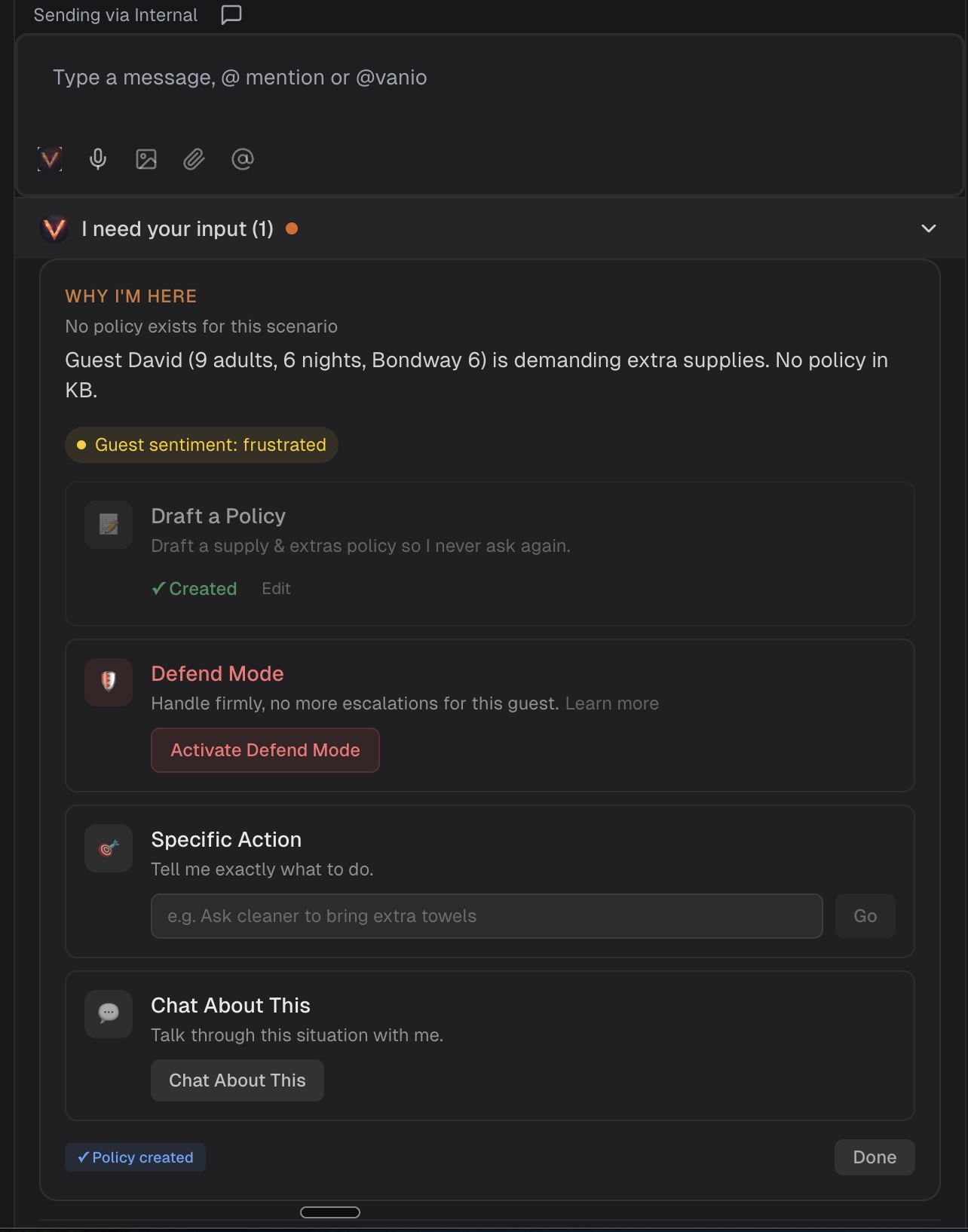
Defend Mode appears as an option in the Vanio AI Collaboration Drawer when Vanio AI detects a situation that may need firm handling. Click Activate Defend Mode and Vanio AI takes over immediately.
Once activated, Defend Mode is ironclad — Vanio AI will respect your instructions and handle the guest completely autonomously until the reservation ends.
How to deactivate
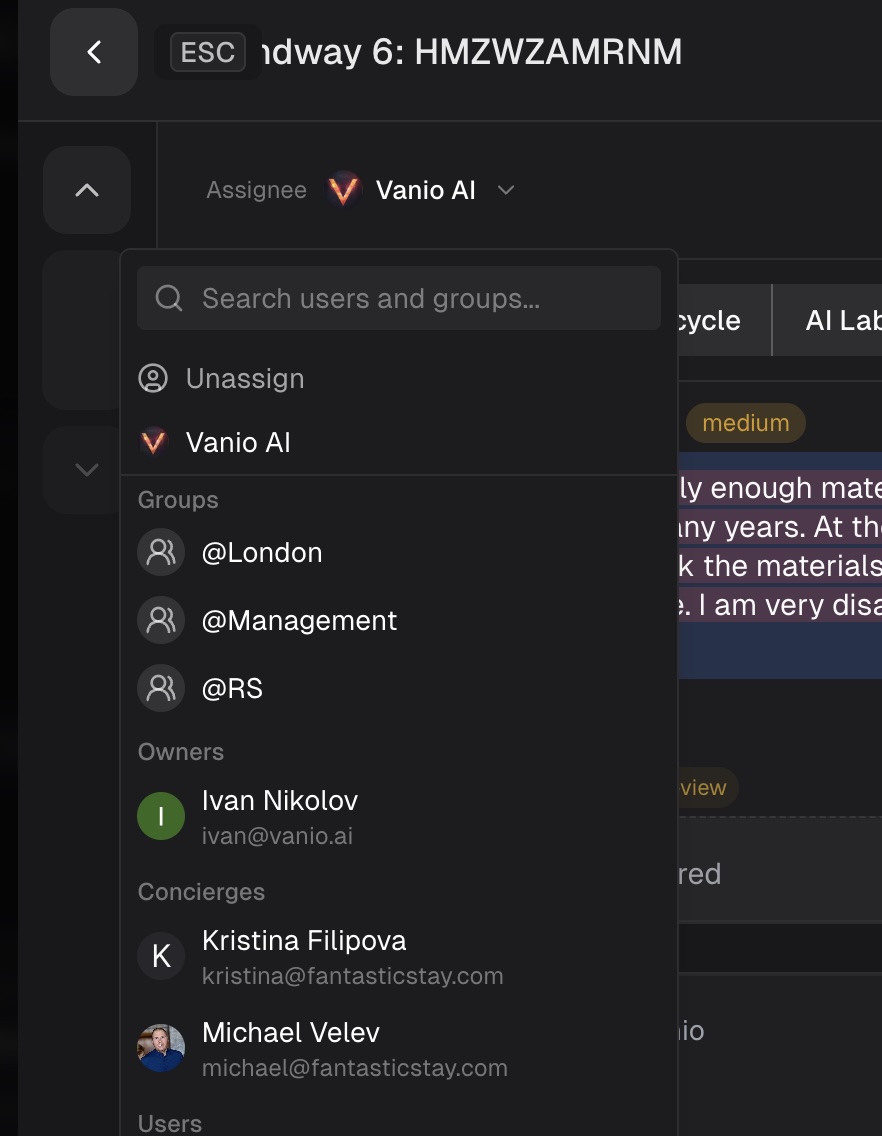
Defend Mode stays active for the duration of the reservation. To deactivate it early, reassign the conversation to a team member from the reservation header.
Does it affect reviews?
Defend Mode does not prevent bad reviews — it accepts that outcome. What it does is save your team time and emotional energy on guests who cannot be satisfied. Vanio AI maintains professionalism throughout, which often results in a less severe review than an emotional back-and-forth would.
What Defend Mode is NOT
- It is not rude — Vanio AI remains polite and professional at all times
- It is not silent — Vanio AI still responds to every guest message
- It does not ignore safety — emergencies, legal threats with specific actions, and cancellation requests still get escalated to your team
- It is not broken — If you don't see escalation notifications after activating Defend Mode, that's working as intended
Tips & best practices
- Use your internal notes — Add context about what you've already tried or arranged. Vanio AI will read these and mention them to the guest.
- Document any manual fixes — If you've processed a refund or made other arrangements outside the platform, note it internally so Vanio AI can reference it.
- Trust the system — Once activated, Defend Mode is designed to handle the guest completely. Resist the urge to jump back in unless there's a genuine emergency.
Common questions
Why am I not getting notifications after activating Defend Mode? This is intentional. Defend Mode means Vanio AI handles the guest entirely without escalating to your team. You'll only be notified for genuine safety emergencies.
Will Vanio AI know about actions I took before activating Defend Mode? Yes. Vanio AI reads your internal notes and any manual actions (like refunds) to give guests accurate, contextual responses instead of generic replies.
Can I see what Vanio AI would do before it responds? Yes, through the AI Replay Simulator (available to account administrators). This tool lets you test how Vanio AI would handle past conversations with your current settings.
AI Guest Messaging
This guide is also relevant for: