
AI Collaboration Drawer
Review and respond to guest messages when Vanio AI needs your input, with options to send AI drafts, create policies, or give specific instructions.
What is the Vanio AI Collaboration Drawer?
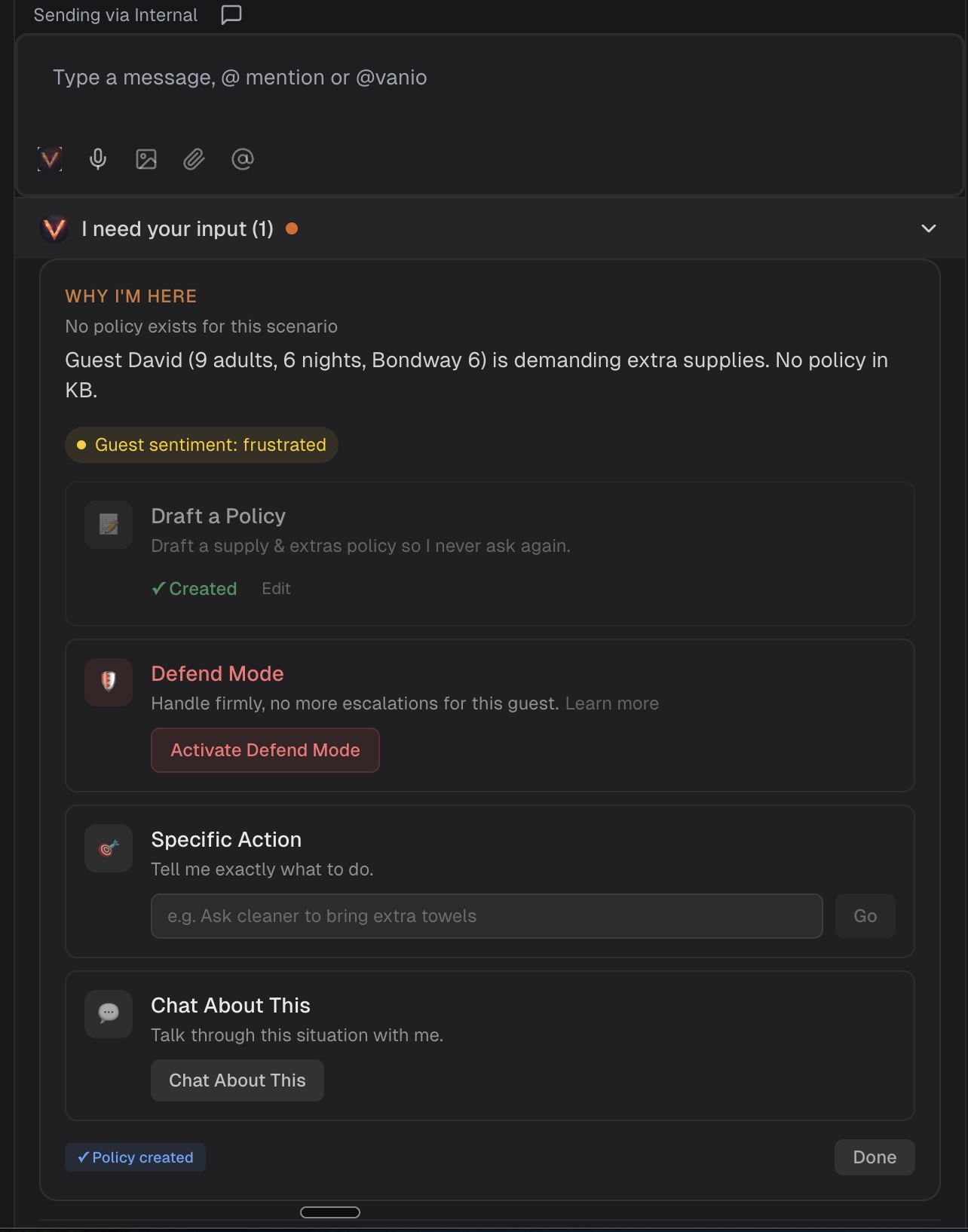
The Collaboration Drawer appears at the bottom of any reservation when Vanio AI needs your input. Instead of sending you a vague notification, Vanio AI explains exactly why it needs help and gives you clear options to choose from.
When does it appear?
The drawer opens automatically when Vanio AI encounters:
- Missing policy — A guest is asking about something Vanio AI has no policy for (e.g. extra supplies, pet fees, parking rules)
- Judgment call — Vanio AI has the facts but needs your strategic decision (e.g. whether to offer a discount or hold firm)
- Unknown preference — Vanio AI does not know how you handle a specific situation (e.g. early check-in pricing)
- Capability gap — Something requires a human to physically act (e.g. delivering items to the property)
What guests see during escalation
When Vanio AI opens the collaboration drawer, your guest automatically receives a brief acknowledgment message: "Thanks for the message — I've passed this along to our team and someone will get back to you shortly. — Vanio AI"
This ensures guests know their message was received and help is on the way, rather than being left wondering if anyone saw their request.
What can you do in the drawer?
Each situation comes with options tailored to the context:
Send Vanio AI Draft
When Vanio AI escalates, it still prepares a complete guest reply but holds it back for your review. The drawer shows you exactly what Vanio AI would have sent and gives you a one-click option to send that message as-is.
This is perfect when:
- Vanio AI's draft looks good and you want to send it immediately
- You trust the response but Vanio AI escalated out of caution
- You want to save time on straightforward situations
[Screenshot: Vanio AI draft message preview with "Send Vanio AI draft" button]
Draft a Policy
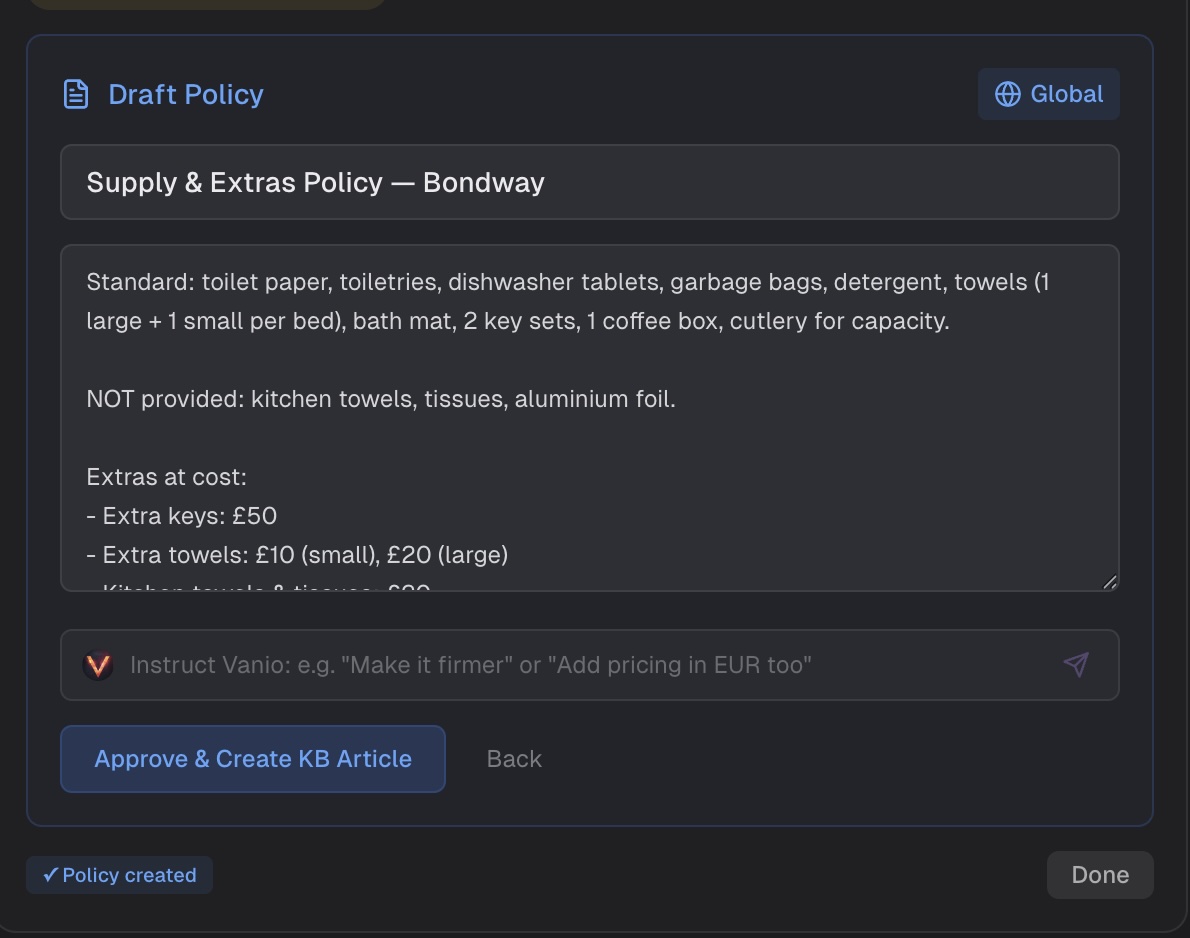
Vanio AI pre-fills a policy article based on what it knows. You can:
- Edit the title and content directly
- Use the Instruct Vanio bar to refine with AI — e.g. "make it firmer" or "add pricing in EUR"
- Set the scope (global, property group, or specific listings)
- Approve and save as a Knowledge Base article
Once saved, Vanio AI will use this policy for all future guests — it never needs to ask about this topic again.
Defend Mode
When you know a guest will be difficult and a bad review is likely regardless, activate Defend Mode. Vanio AI will handle all remaining communication firmly and politely — sticking to policy, not over-apologizing, and not escalating again. Learn more about Defend Mode →
Specific Action
Give Vanio AI a direct instruction: "Ask the cleaner to bring extra towels" or "Offer a 10% discount." Vanio AI executes your instruction.
Chat About This
Open a conversation with Vanio AI to discuss the situation. Useful when the right approach is not obvious and you want to think through options together.
Working with reviews
When using the Chat About This option, Vanio AI automatically loads any guest or host reviews for that reservation into the conversation. You can now ask for help with reviews without copying and pasting:
- "Translate the review to English"
- "Summarize the guest feedback"
- "Draft a response to the review"
- "What are the main issues mentioned?"
Vanio AI will work directly with the review text that's already loaded, giving you instant help with translation, analysis, or response drafting.
Multiple actions
You can take multiple actions on the same situation — for example, send the Vanio AI draft and activate Defend Mode for future messages, or draft a policy and give a specific instruction. The drawer stays open until you click Done.
Assignment and escalation
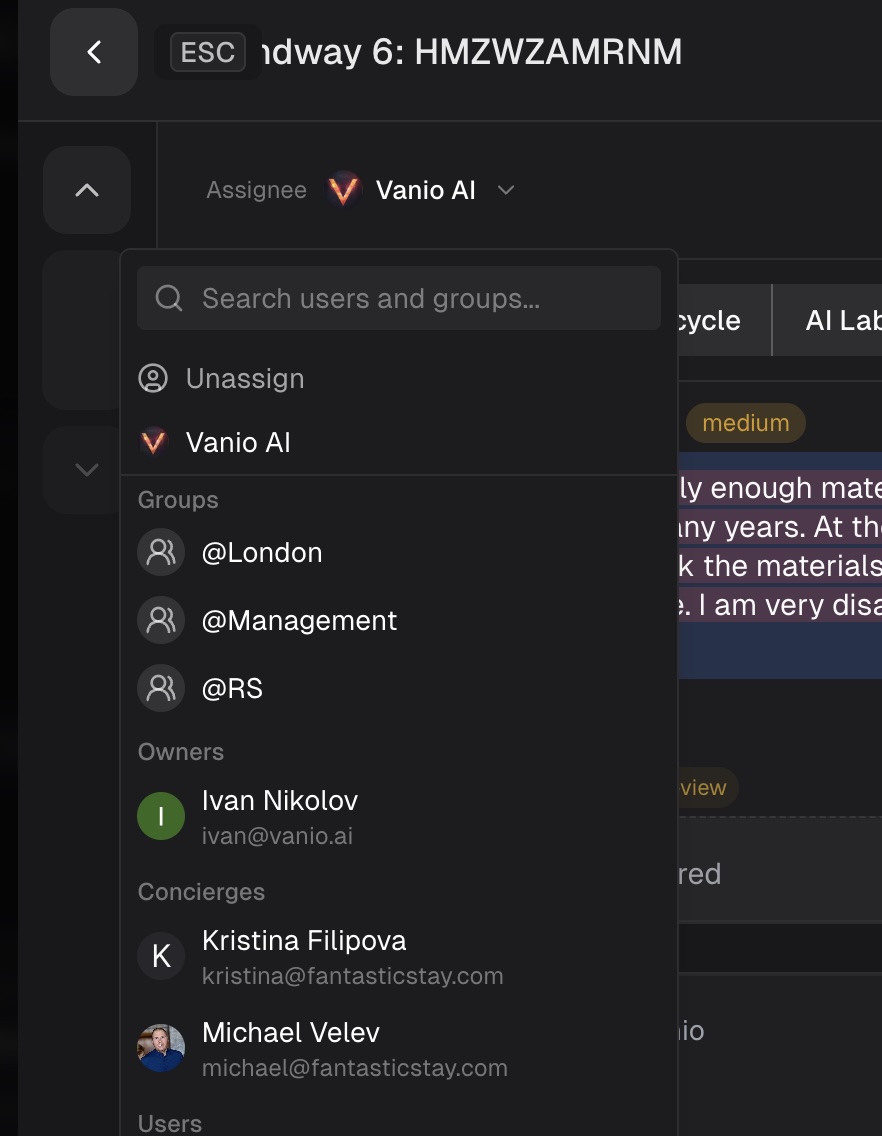
When Vanio AI escalates a message through the collaboration drawer, the conversation automatically assigns to your designated support team instead of staying in the system inbox. This ensures urgent guest issues reach the right person every time.
Deactivating Defend Mode
To deactivate Defend Mode, reassign the conversation to a team member from the reservation header.
How it learns
Every decision you make in the drawer teaches Vanio AI. Over time, it learns your preferences — which situations you handle firmly, where you offer goodwill gestures, when you prefer to send its draft as-is, and when you want to be notified. The goal: fewer interruptions, better autonomous decisions.
AI Guest Messaging
This guide is also relevant for: